How to Import Journals?
We can import the data in all Journals from Excel files. For example, we want to import the General Journal lines in Business Central.
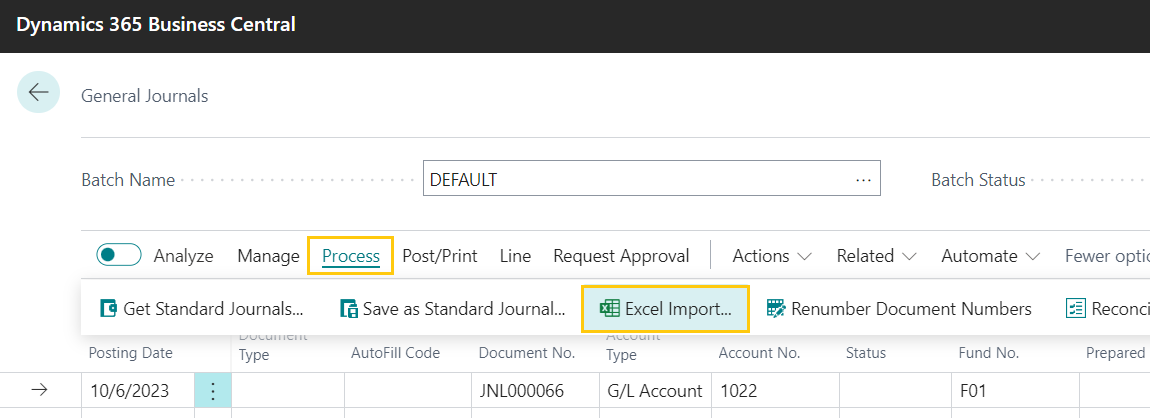
>> Open Business Central >> Go to General Journal page. Click on Process >> Excel Import.
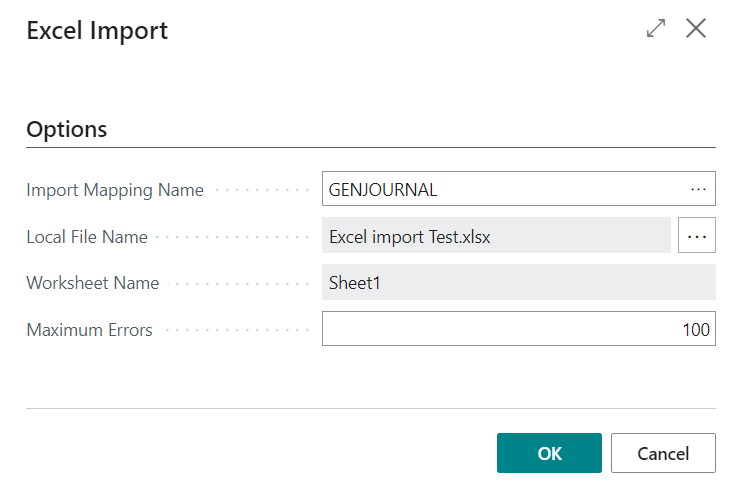
>> Excel import wizard opens.
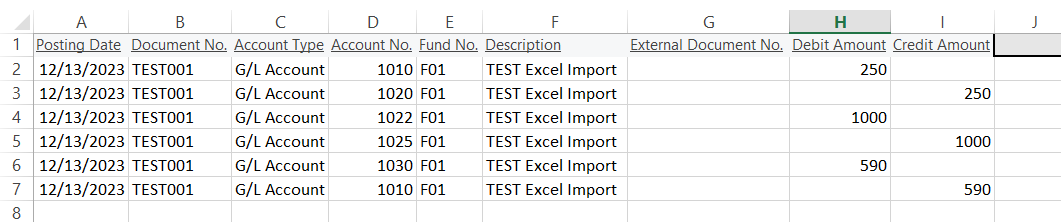
>> Imported the Excel file.
>> Once we click on OK button, the system checks if there are any errors, if there are not the rpws will get inserted in the system.
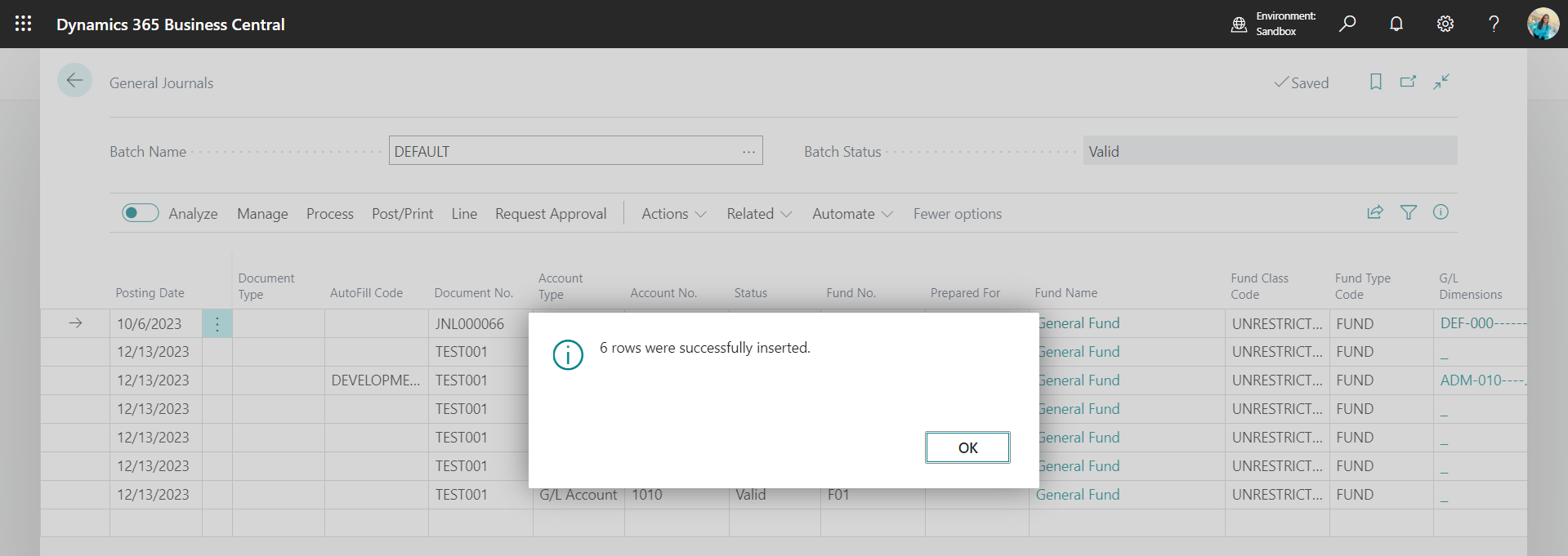
>> Excel file imported successfully in the system.
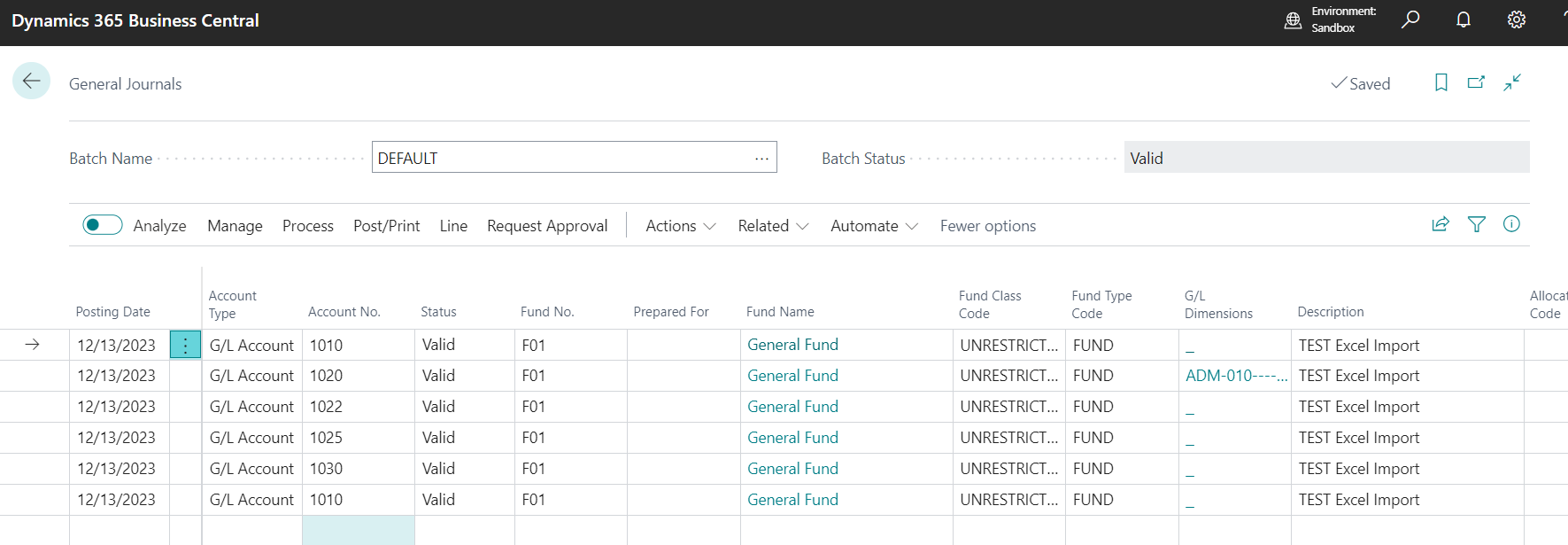
>> The Journal is ready to be posted.
This works for all the journals be it Purchase Journals, Job Journals, Cost Journals, Sales Journals etc.
Was this article helpful?
That’s Great!
Thank you for your feedback
Sorry! We couldn't be helpful
Thank you for your feedback
Feedback sent
We appreciate your effort and will try to fix the article